
Monochromatic Images are a fun way to make any image fit in with your home decor. Let me show you how to turn images into one color using photoshop. It’s a very artistic twist for pictures, and I love how this turned out. I shared the image below on my Girls Fancy Room Makeover, and my girls think it is so fun!
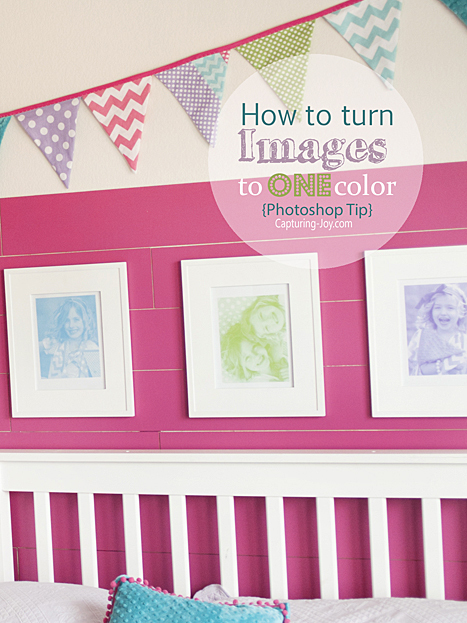
Since I already had my Fancy Gallery Wall in my girls room, I wanted a few more pictures up from that shoot, but more subtle. Above their headboard provided just the spot for 3 white frames and pictures, so I decided to turn each image into just one color for a splash of ARTSY mixed into the scene.

In Photoshop, I’m often using the Color Value. When I pull up a color, there is a code at the bottom of my pop up that describes the specific color that I can grab and use when needed. I had specific color shades that I wanted to use for my images, so I took my eye dropper color picker in photoshop and “grabbed” the colors from images I’d taken in the girls room: teal blue, purple, and lime green.

How to Make Monochromatic Images:
Once I had my preferred colors, this is how I made my art:
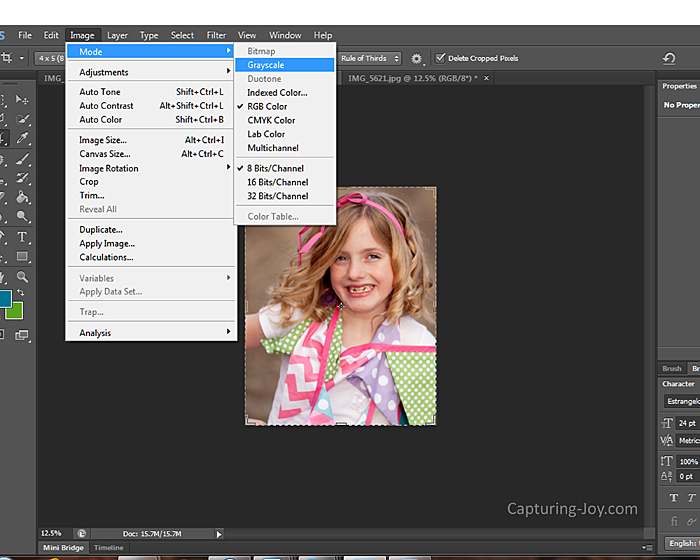
- Open up your image and convert to grayscale by going Image>Mode>Grayscale.
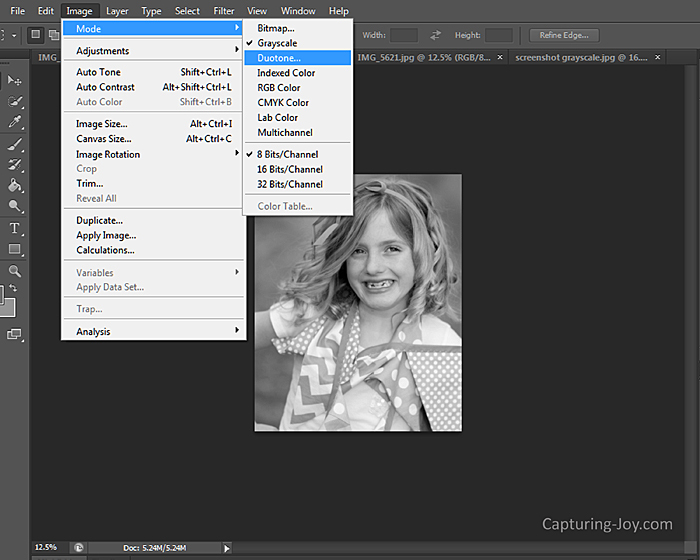
- Go to Image>Mode>Duotone
- In Duotone, choose “monotone” under the dropdown menu.
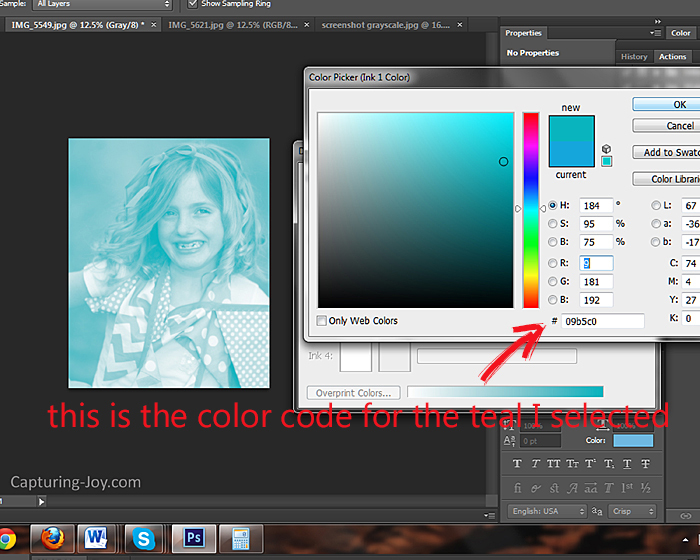
- Click the color swatch for the color you want to use (or I copy the exact color code I want into the box). It generally starts off black.
- Once you’ve selected your color, you have converted your color to a pantone color
- Now this type of file doesn’t save as a .jpg, so you have to go over to Image>Mode>RGB color
- File > Save as and rename the file
Here is a screen shot of step 1:
Step 2:
And Step 4:
I printed my image on cardstock on my home printer, but you can also print at a photo lab.
I LOVE how this turned out! Not wanting to ding the pink planked wall too much, I used Command Strips to stick ’em to the wall.
I only use photoshop, so if someone makes a tutorial for picmonkey or another software, let me know and I’ll link it up.
If you have a fancy camera that you don’t know how to use, check out my books!

If you’d to join the Capturing Joy Photo Club on Facebook, where we have photo challenges, Q&A’s, and image sharing, request to join HERE: https://www.facebook.com/groups/CapturingJoyPhotoClub/